
Boolean gates are combination of other existing gates.
Types of Boolean Gates
There are three types of Boolean gate available in FlowJo v11:
- AND - Creates a new population comprised of the events in all of the selected gates.
- OR - Creates a new population comprised of the events in any of the selected gates.
- NOT - Creates a new population comprised of the events that are in the parent population of the selected population but not in the selected population.
Creating a Boolean Gate
To create a Boolean gate, select one or more populations, right-click the selections, choose Boolean from the dropdown and then select one of the three Boolean options, as shown in Figure 1.
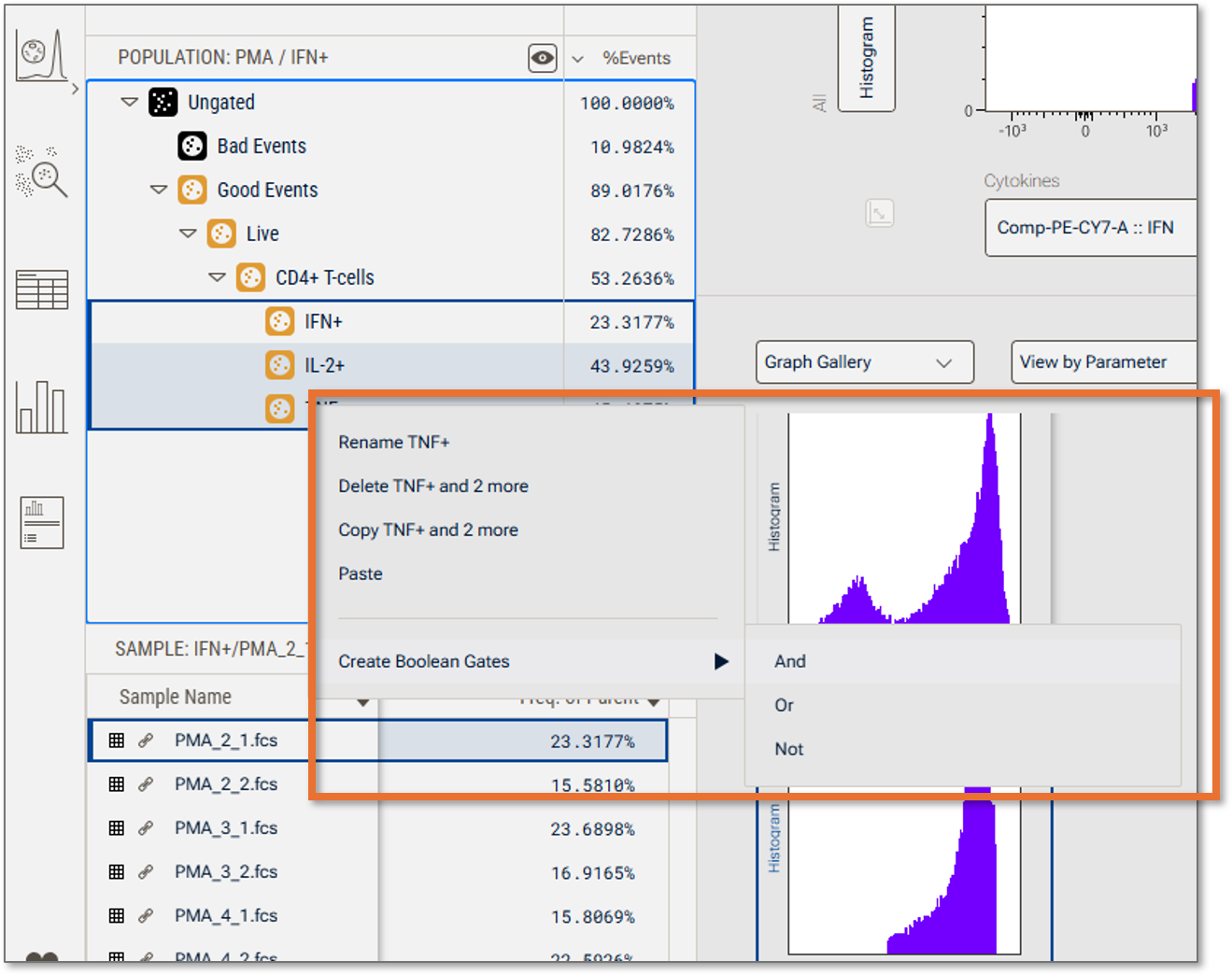
Figure 1 Multiselecting three populations, right-clicking, choosing the Create Boolean Gate item and exposing the choices for And, Or, Not.
The AND and OR selection will create one gate using the specified Boolean logic. The NOT gate will create one NOT population for each selected gate.
Example
Three different cytokine populations were gated on revealing how many cells express each cytokine individually. Boolean gates can quickly show how many cells expresses combinations of these cytokines. Figure two shows each of the individual gates in the graph gallery.
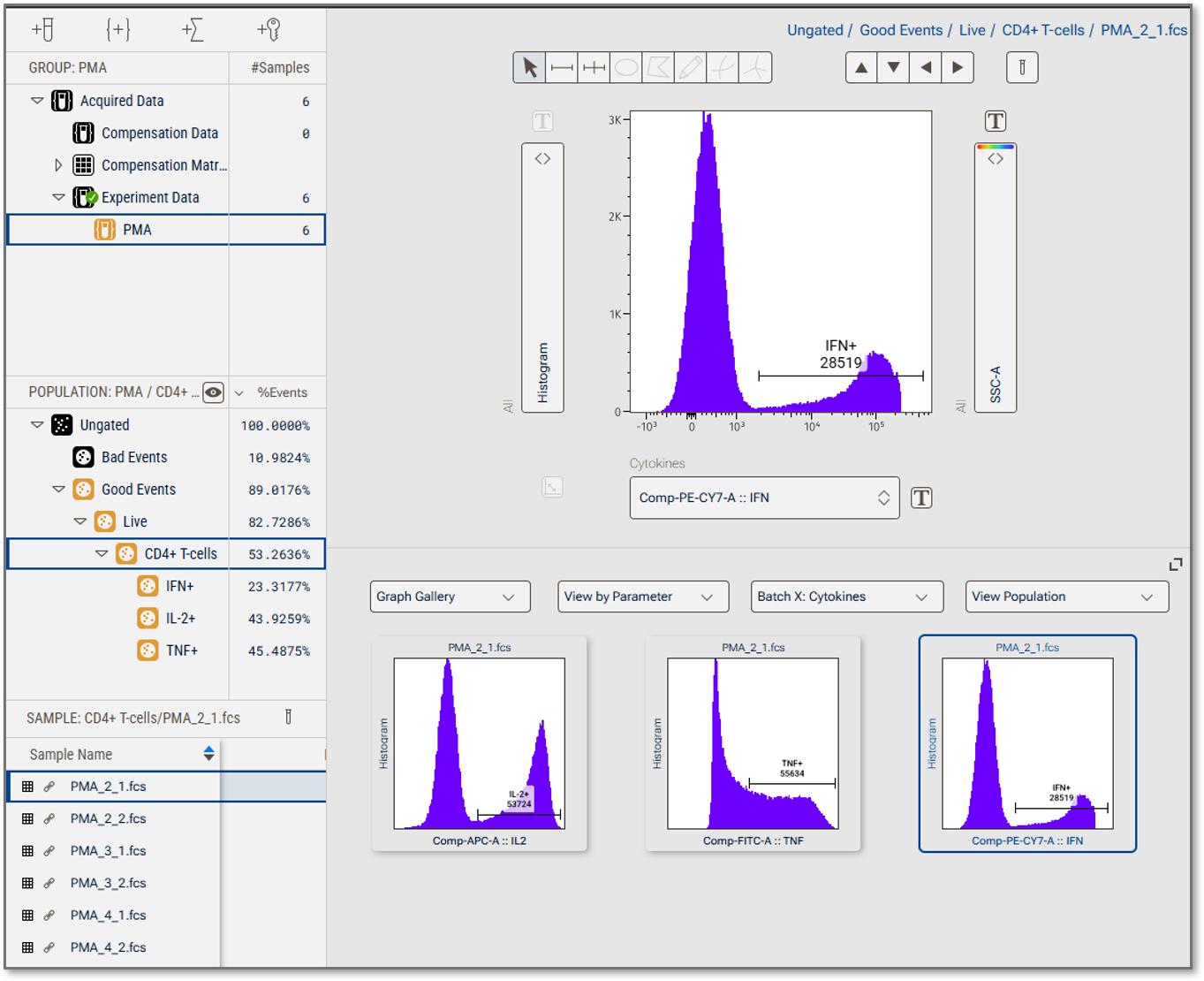
Figure 2 Three individual gates
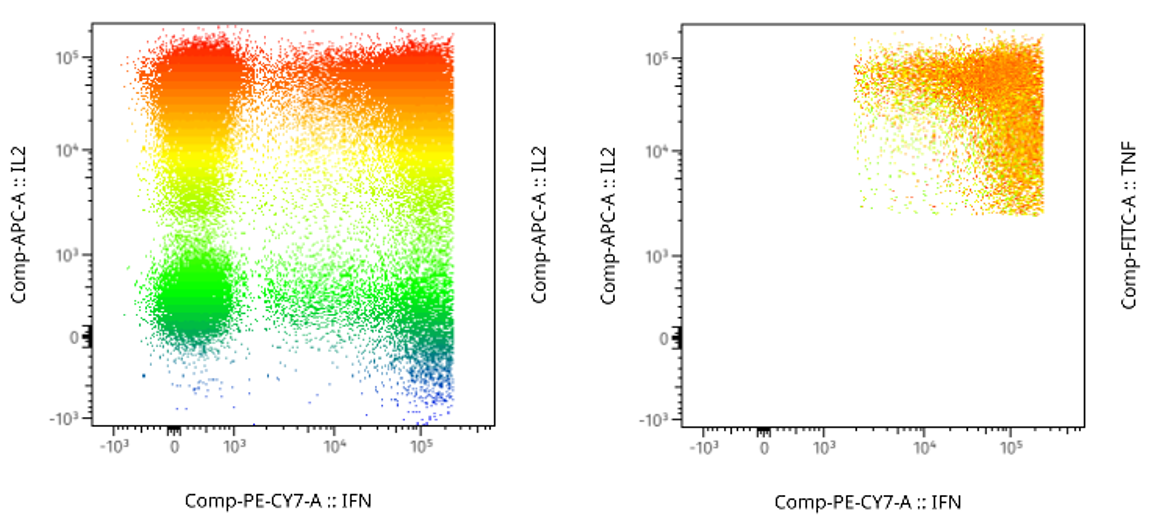
We created OR, AND, and NOT Boolean gates after selecting all 3 populations. The results are shown in Figure 3 in which you can see the OR gate contains all of the cells that were positive for any parameter, while the AND gate contains only those that were positive for all three. Below that the NOT gates of each parameter exclude the cells positive for one parameter only.
OR AND
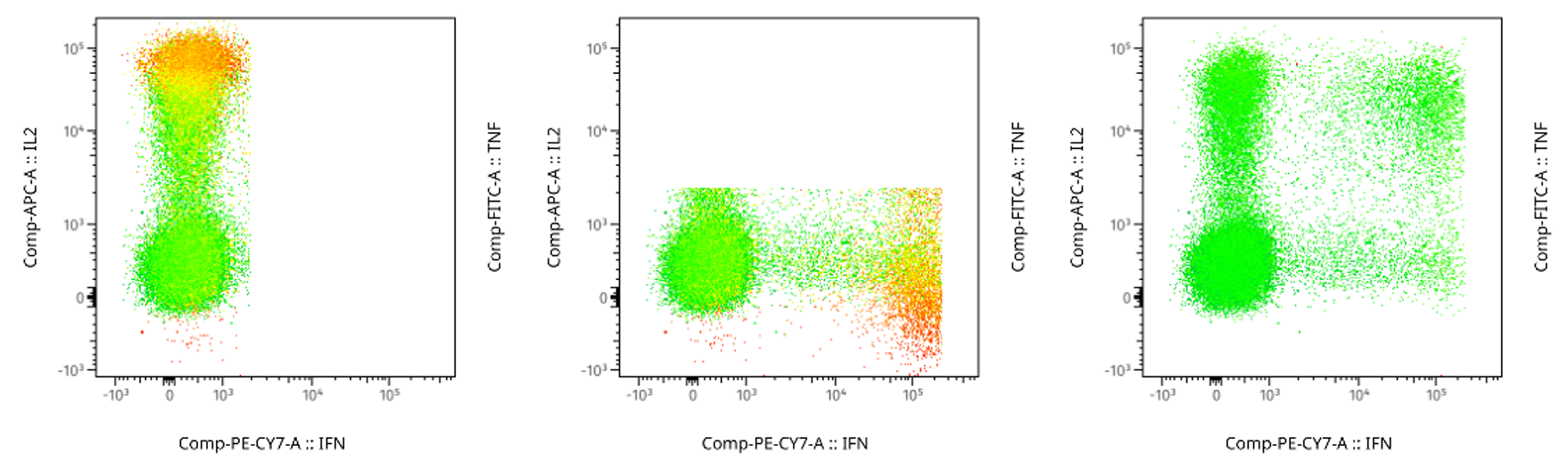
NOT IFN NOT IL2 NOT TNF
Figure 3 Plots of OR all three populations, AND all three populations, and the NOT of each population. In all plots the parameter used for heatmapping is TNF, where more red is more positive.