
If using a Proxy server to manage network access, please download the latest FlowJo v11 release* installer, which is bundled BD Access Portal from the FlowJo website download page.
*Currently FlowJo v11.1.0 and BD Access Portal v2.4.0.
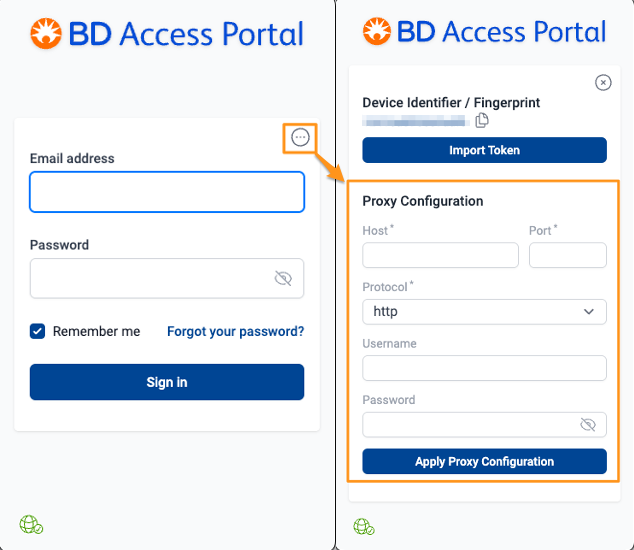
To enter Proxy Information in BD Access Portal application login window:
- click the three dots in a circle button in the top left corner of the BD Access Portal login window
- enter the Proxy configuration information provided by your IT department
- click Apply Proxy Configuration
Limitations:
If the proxy uses SSL-Bump (MITM), the app does not currently prompt users to review and accept self-signed certificates. In this release, proxy configurations that involve SSL-Bump are expected to fail. Customers using such proxies will likely encounter connectivity issues, and manual certificate acceptance is not yet supported.