Transforms that have been modified on one compensation matrix can be copied to another matrix in FlowJo™ v10.10 and later v10 releases.
FlowJo ties transformation settings to compensation matrices. Therefore, changes to Transformation/scaling settings will apply to all samples that have the same compensation matrix applied, but not to samples with a different compensation matrix.
In FlowJo v10.10 the Transformation settings for all fluorescent parameters* can be transferred/copied from one compensation matrix to another compatible compensation matrix (as long as both matrices have the exact same compensated parameters). *Scatter parameter Transforms are not copied by this action.
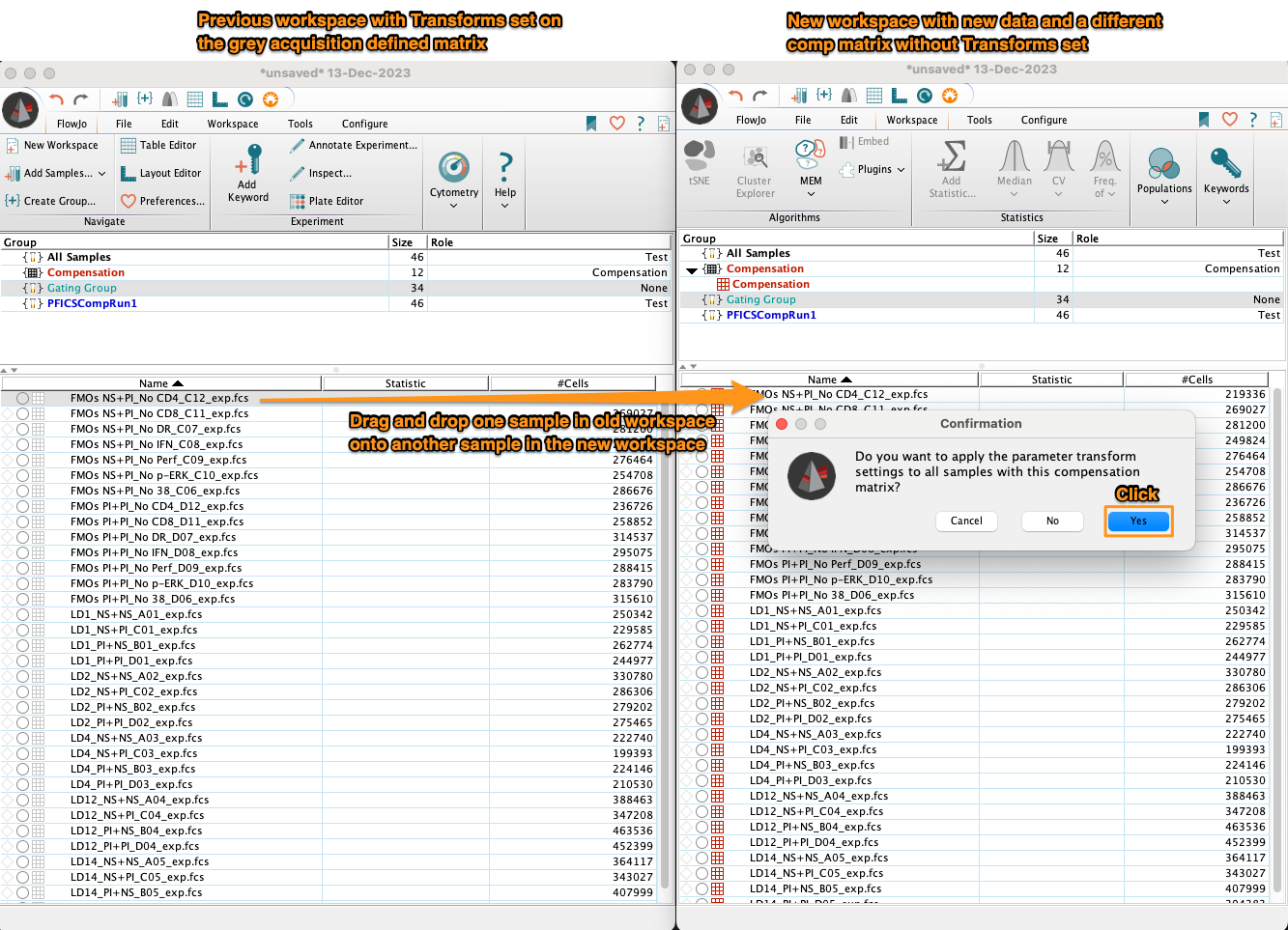
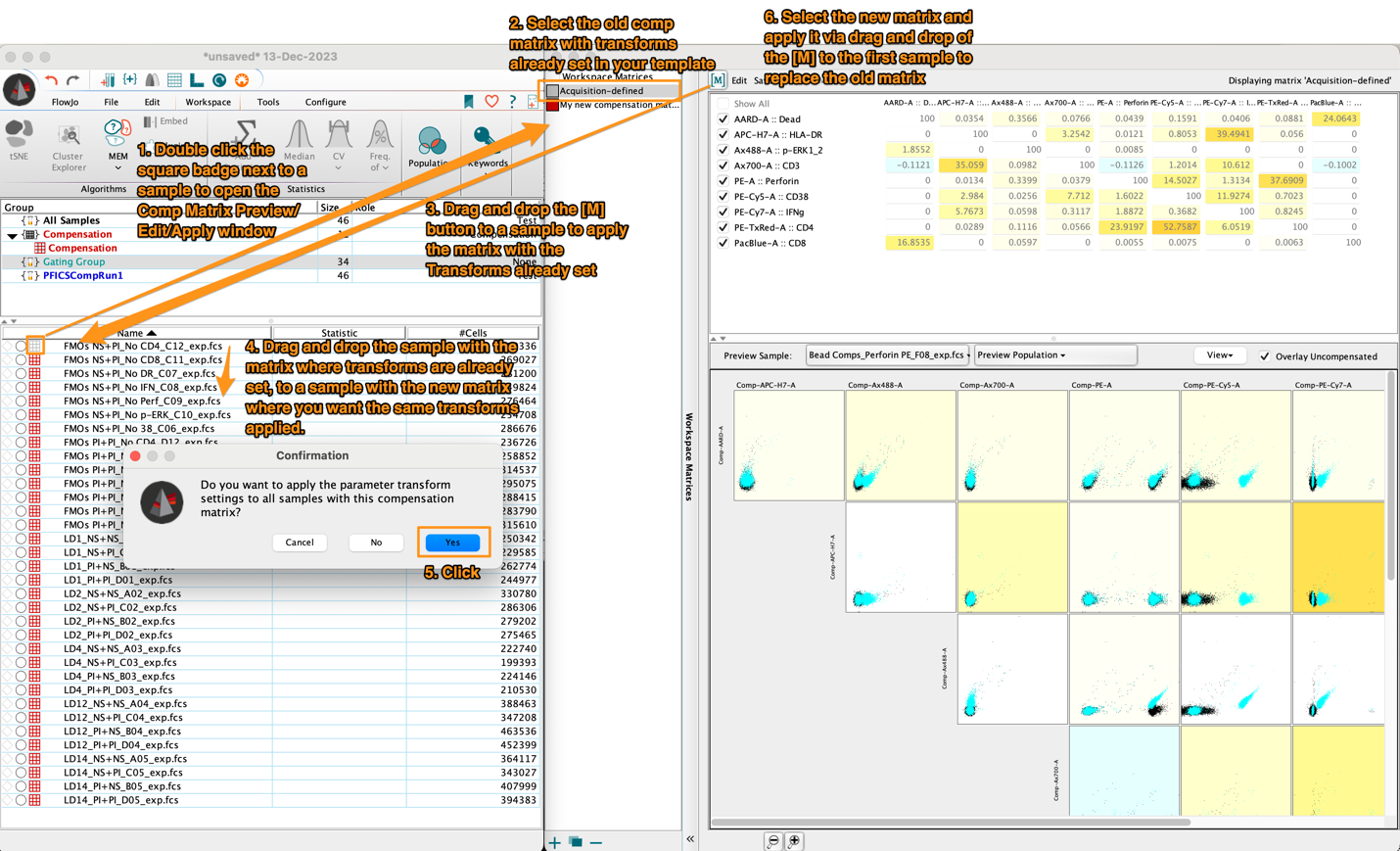
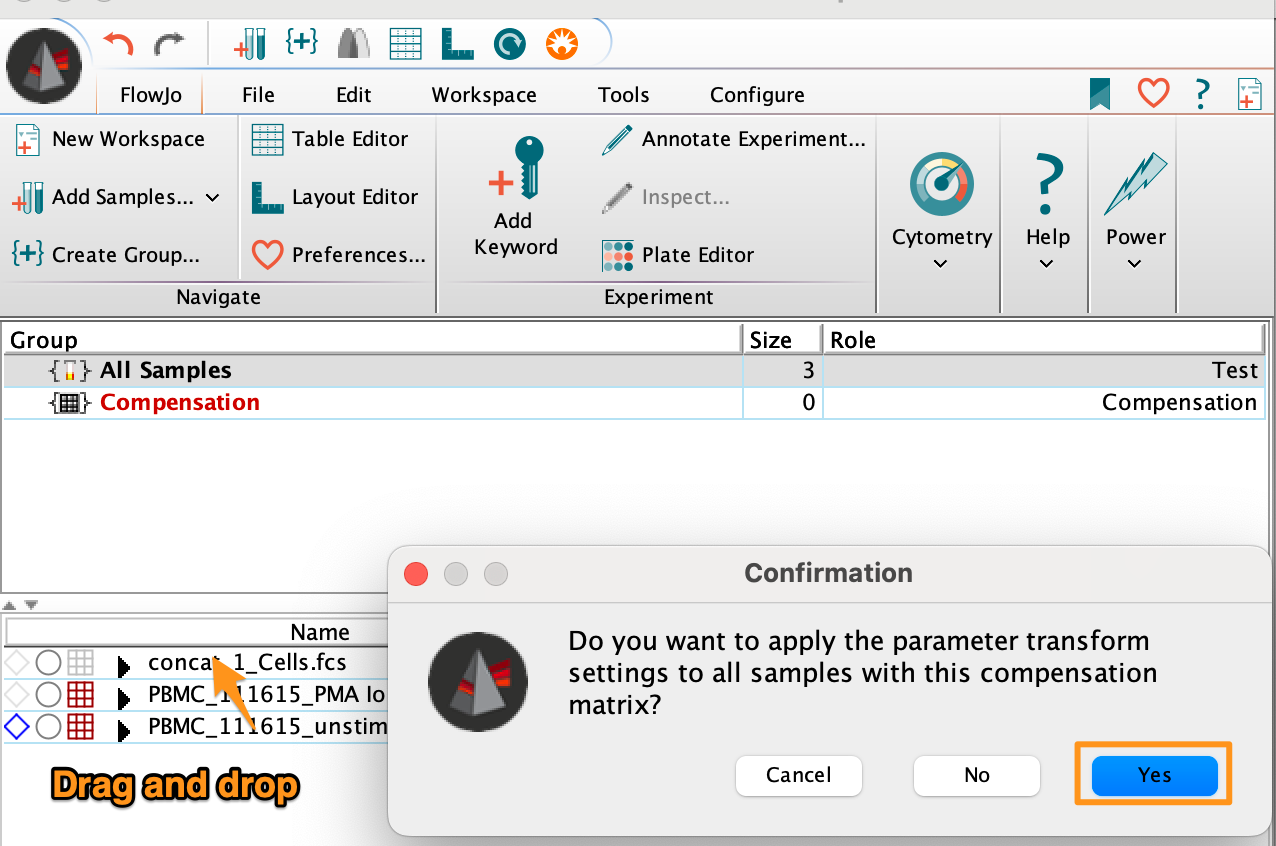
This Copy Transforms action can be accomplished via the drag and drop of one sample (Sample #1) with one compensation matrix and a given set of transforms, onto another sample (Sample #2) with a different, compatible compensation matrix applied.
A confirmation window will appear asking you to confirm the application of all parameter transform settings currently applied to Sample#1 (the sample being dragged and dropped) to all samples that share the compensation matrix with Sample #2 (the sample being dropped onto).
The Copy Transforms action can be accomplished between samples within the same workspace:
Or across Workspaces: